

Command Deck
A local-first operational control surface for issuing intent, tracking execution and recording what actually happened.
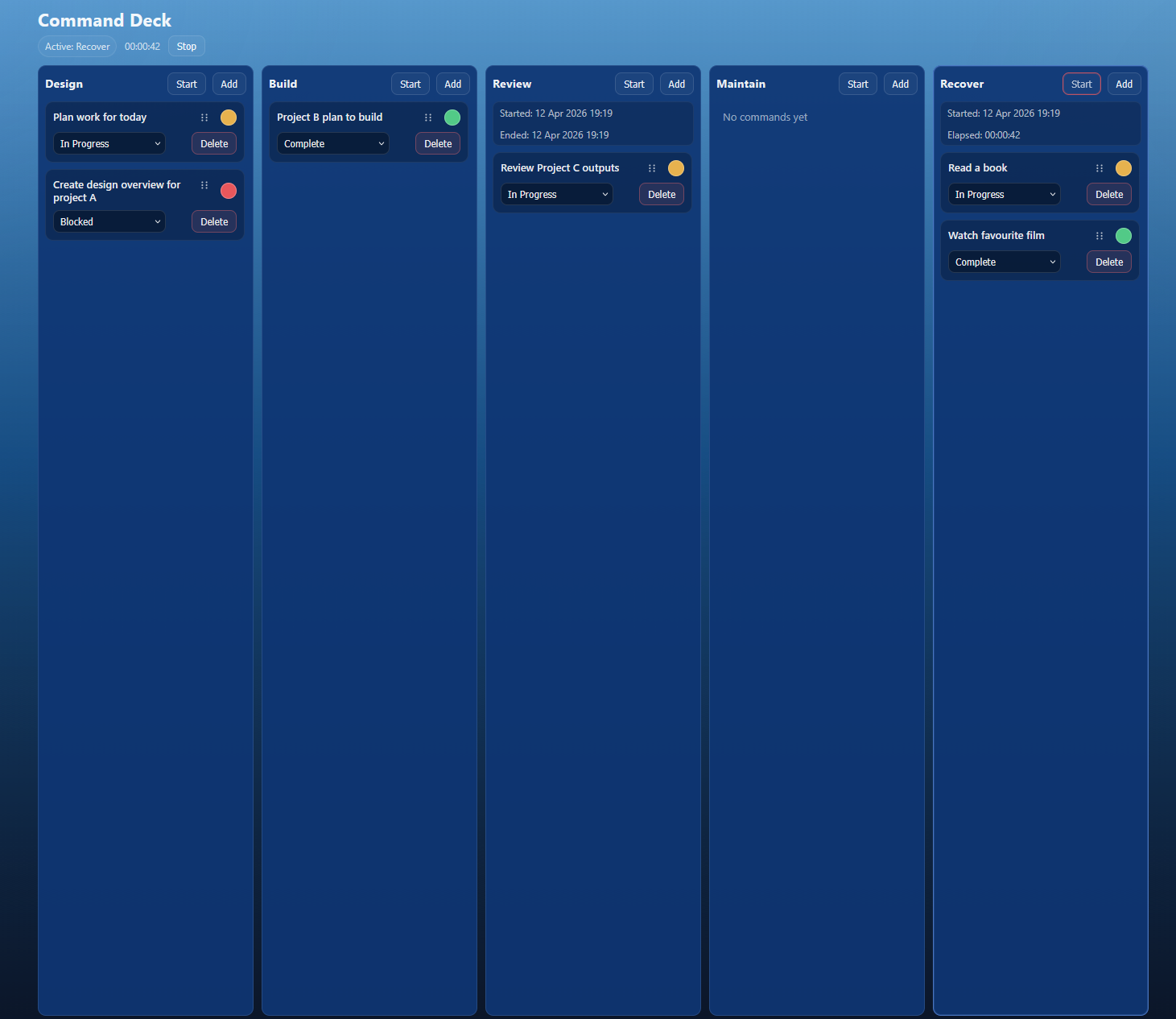
Problem → Solution → Impact
Problem: Most task tools collapse intent, activity and completion into the same flat list. That makes it harder to see what is actually in motion, what is blocked and where time is being spent.
Solution: Command Deck treats work as operational state. Commands sit inside five categories - Design, Build, Review, Maintain and Recover - and move through a simple execution model: Not Started, In Progress, Blocked or Complete.
Impact: The result is a clearer surface for focused execution. You can see what is active, track category-level sessions and preserve a history of outcomes without turning the system into planning theatre.
Overview
Command Deck is an operational system built around execution rather than planning.
Work is organised into five persistent categories:
- Design
- Build
- Review
- Maintain
- Recover
Each command represents intent.
Each category can host active work.
Only one category is active at a time.
Sessions track focused operational time and outcomes record what really happened.
That makes Command Deck useful for people who want to manage motion, not just maintain lists.
Why it is different
Most tools ask you to maintain tasks.
Command Deck asks a different set of questions:
- What am I doing?
- What is in motion?
- What actually happened?
That shift matters. It makes the interface feel less like administration and more like a live operational board.
Command Deck at a Glance
Core ideas
- Five operational categories
- Commands as active units of execution
- Simple state model
- Category-level session tracking
- Outcome history for completed work
Technical stack
- FastAPI backend
- React + Vite frontend
- SQLite persistence
- Local-first runtime
- Windows packaging and installer support
Architecture
Command Deck is intentionally minimal.
It uses a FastAPI backend, a React frontend and SQLite for persistence. The project is designed to run locally, with a development split between backend and frontend and also supports a packaged Windows runtime with installer flow for desktop use.
That keeps the system lightweight, direct and aligned with the idea of a personal operational surface rather than a cloud platform.
Closing note
Command Deck is one of those projects where the interface reflects a deeper belief: work is not just a list of tasks. It is a changing operational state with intent, friction, flow and recovery all visible on the surface.
That is the space this project is trying to serve.