


 The Command Battlestation
Welcome to the cockpit where the chaos gets compiled; and occasionally extruded in molten thermoplastic.
This is my daily driver: part developer workstation, part hardware museum. Every cable, macro pad and monitor is exactly where it needs to be; mostly because it's been there so long it's developed squatter's rights.
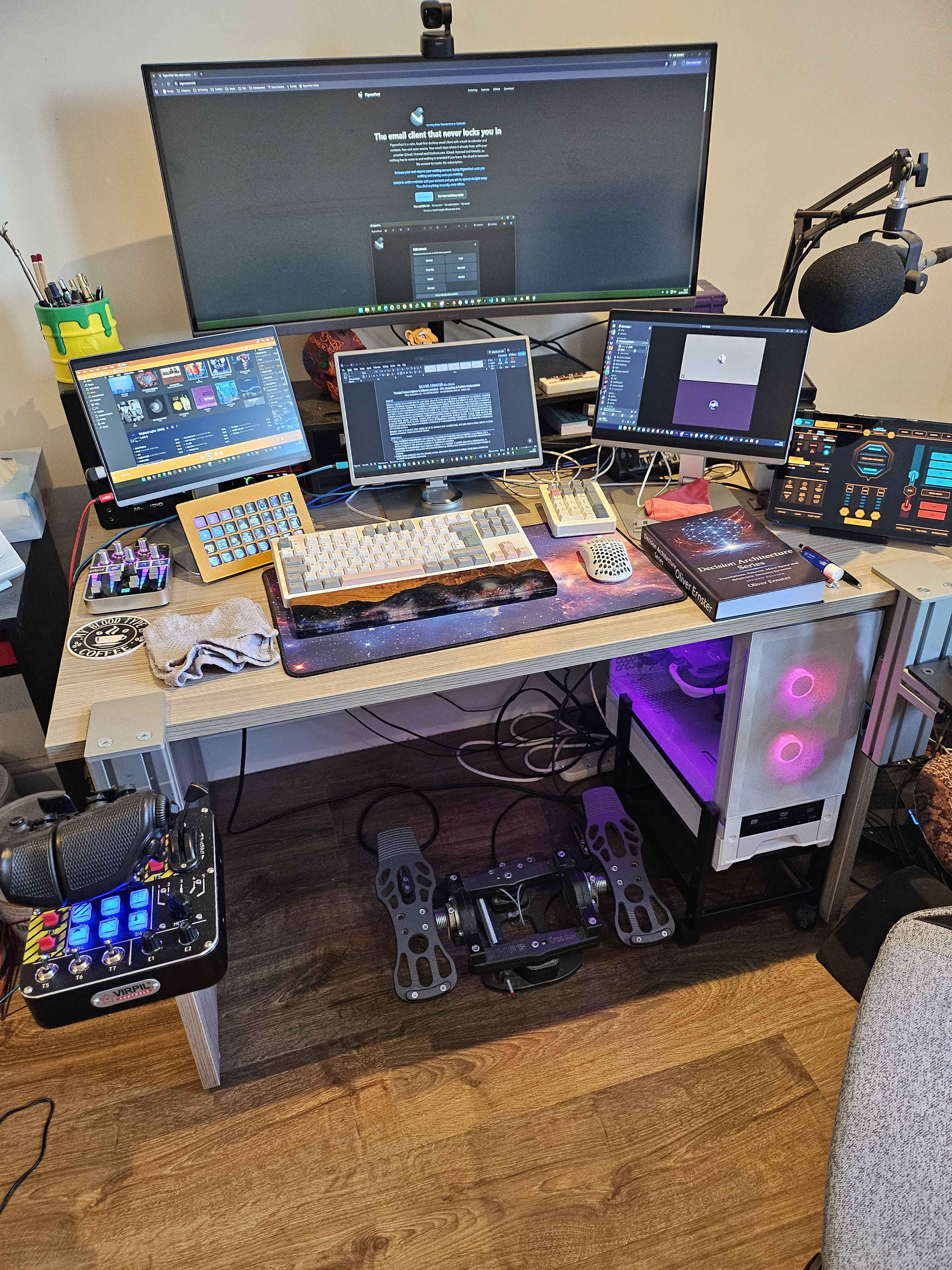
The 34 inch curved primary monitor runs enough terminals, consoles and dashboards to make NORAD nervous.
Below it sit three 13.4 inch 4K monitors on professional stands (not OLED; I have a budget and OLED does not respect it). Each has precisely one job: MediaMonkey handling audio on the left, Word in the middle (caught holding my CV, because even battlestations do admin) and my Discord on the right.
I didn't plan on becoming a multi-display maximalist... However, here we are.
A StreamDeck XL with hand-labelled macros launches every one of my websites, drives audio through my AudioDeck tool and mutes meetings I regret joining. One key per regret.
On the far left, lit up in RGB, is the larger variant of the PCPanel, wearing custom printed labels because factory labelling never survives contact with my workflow. Tactile volume control; RGB is cheaper than therapy.
On the far right is my Samsung Galaxy Tab A9+ running GameGlass for Elite Dangerous: my favourite space combat/mining/trading/operations/on-foot-fun/exploration/you-name-it massively multiplayer mega game. Despite its age it's still actively developed and they do a good job of it.
Out in the black I lean on my own tooling too: o7Debrief for the post-flight paperwork and the Elite Dangerous Colonisation Assistant for colonisation runs, with the tablet doubling as a cockpit dashboard for the latter. Space truckers need dashboards too.
And yes, that is a wet flannel on the immediate left. The British Summer heat is completely unbearable and hydro-cooling is not just for the PC.
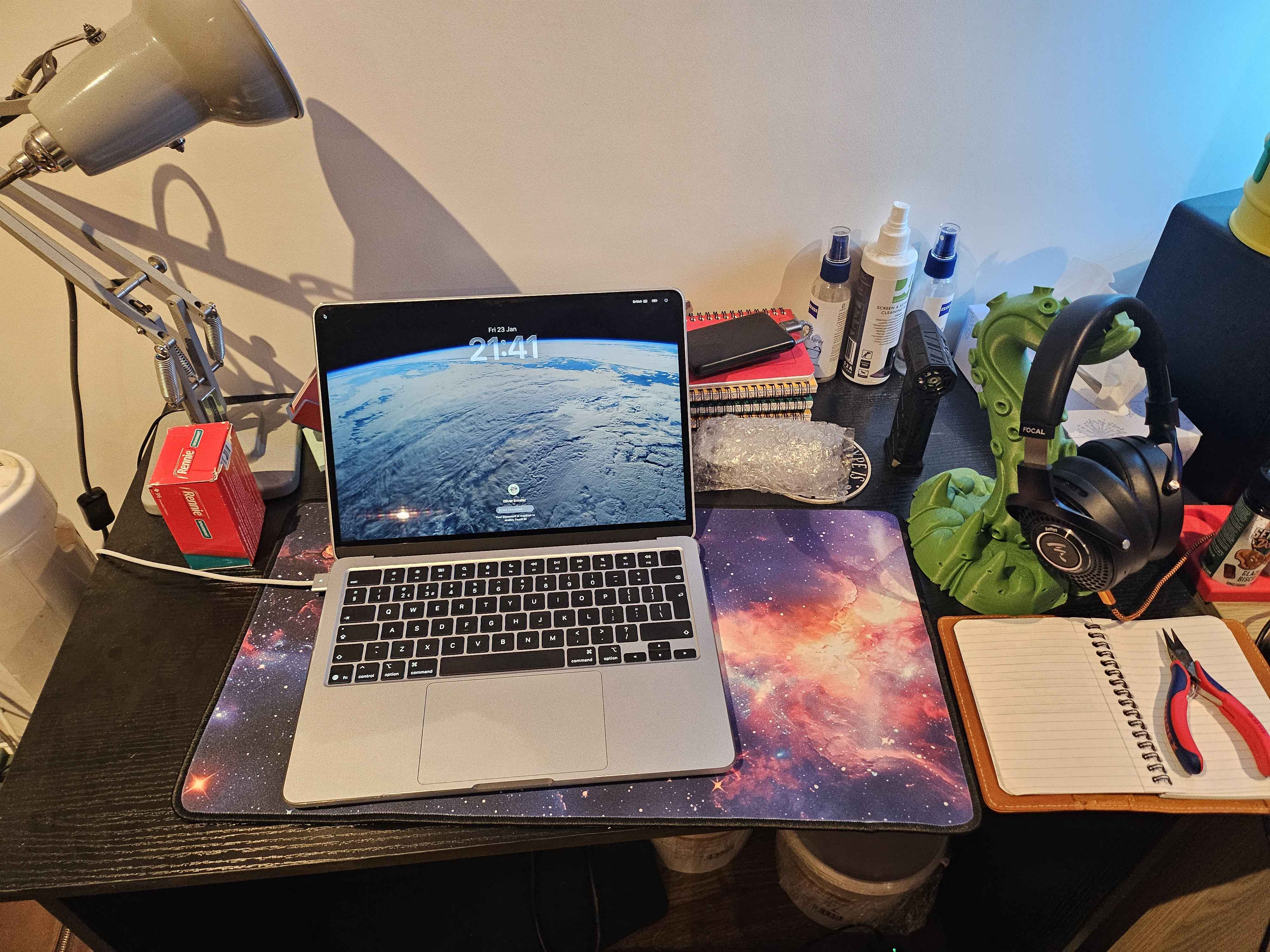
Audio is handled by the Focal Bathys - a HiFi headphone setup that gracefully moonlights between Discord chaos and deep/old school house music.
Wireless. Ridiculous. Perfect.
The supporting cast appears in the other photos on this page. A 2025 MacBook Air (M4, 16GB RAM, 512GB SSD), perfect for pretending to be normal.
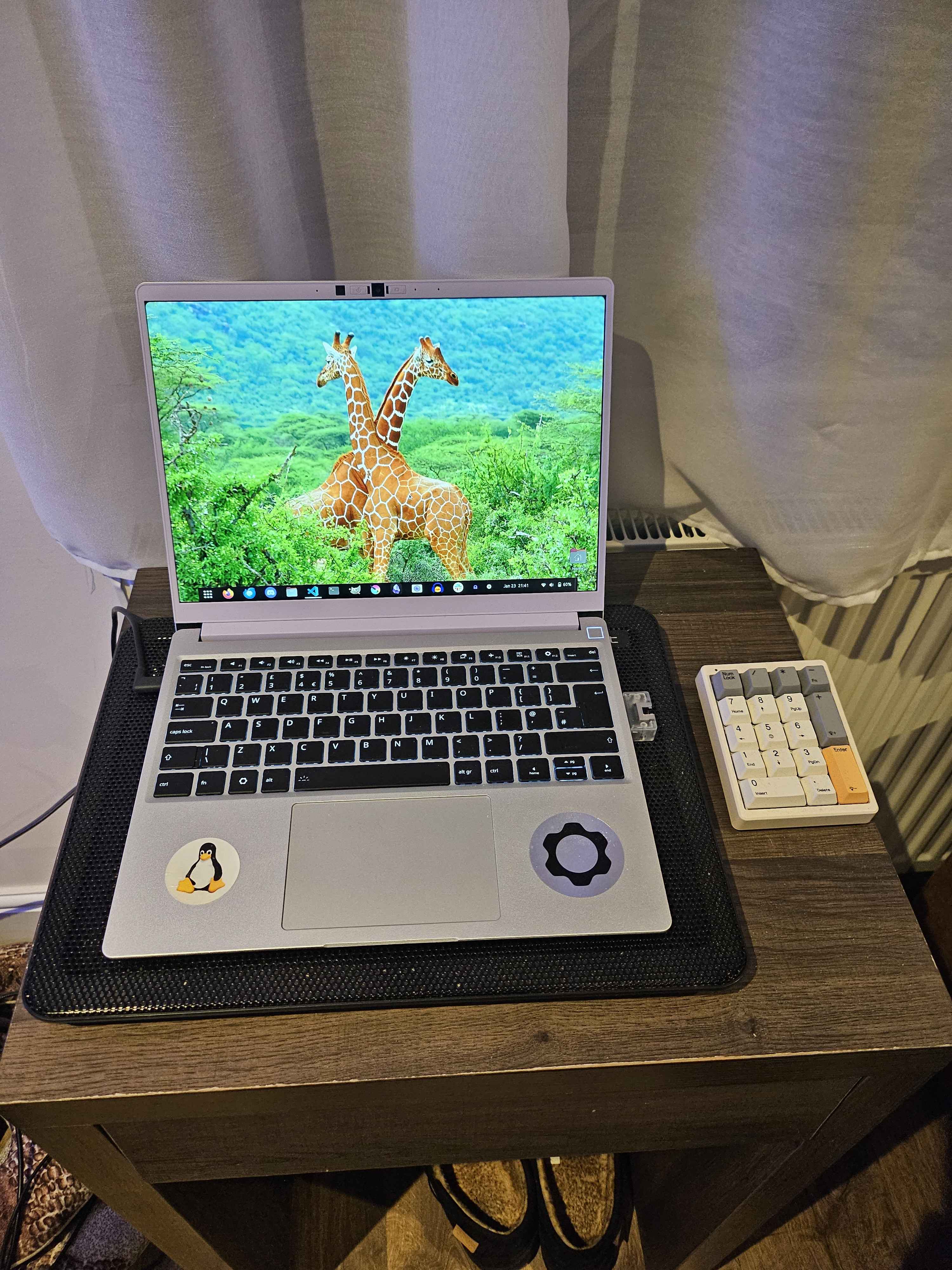
Alongside it, a Framework 13: Ryzen AI 7 350, 96GB of DDR5, 2TB of NVMe SSD and the upgraded 2.8K display, which is beautiful. It multiboots through a custom-configured rEFInd and the Linux distros on it rotate like houseguests (when Microsoft isn't busy redecorating my bootable drives and sectors with Windows updates). It also keeps Windows 11 Pro around, purely in case a job opportunity ever requires me to bring my own Windows machine; I'd prefer not to, since Windows causes no end of grief for Linux on a regular basis.
Flight Sim / HOTAS Setup
For high-immersion dogfights and questionable docking maneuvers in Elite Dangerous (and other flight sims but let's be honest - it's mostly Elite), I run a full HOTAS + pedal setup:
- VKB Gunfighter IV joystick with premium base
- Virpil CM3 throttle with all the throw and tension tuning a digital pilot could want
- MFG Crosswind v3 rudder pedals in graphite, because even my feet deserve nuanced control
Everything is mounted to MonsterTech hardware, which is just German for "no wobble, no mercy."
The entire cockpit snaps into place like it was meant to launch me into low orbit.
Input Devices
Input-wise, the setup is unapologetically niche.
The mouse is a FinalMouse Frostlord: serial number 0222 of only 10,000 ever made, which is quite a nice number to hold. It weighs approximately nothing; the desk's RGB output weighs more.
The keyboard and numpad are both Epomaker. The main board runs white creamy jade thocky switches: quiet, precise and borderline therapeutic to type on. The white numpad (an essential accessory, I feel) runs Wisteria linears. Yes, the numpad got its own switch choice. It earned it.
Peripherals and controllers evolve - what matters is the workflow they enable.
3D Printing Zone
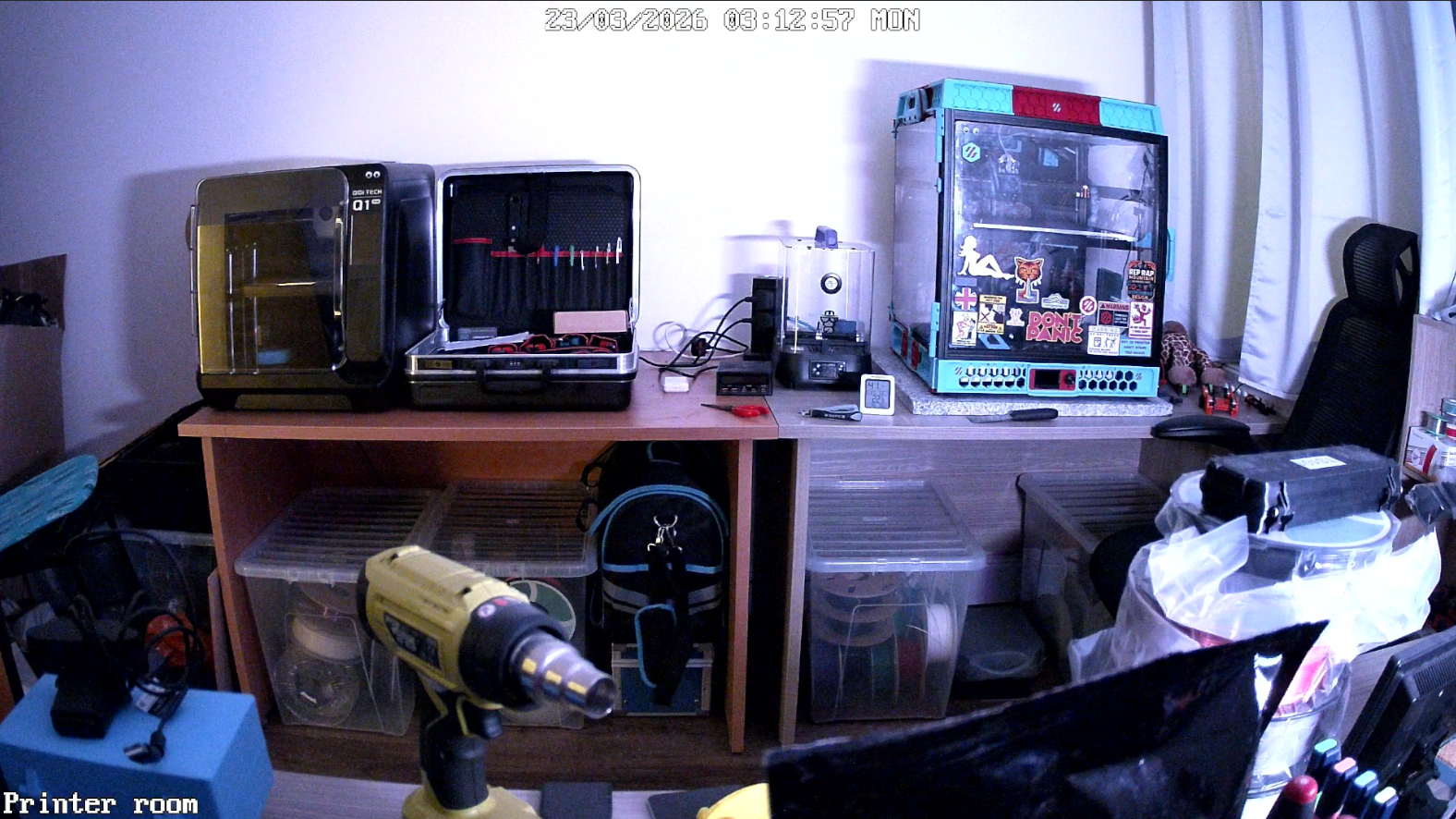
In a separate room lives the Printer Room: a shrine to heat, motion and calibration agony, where entire machines are born layer by painstaking layer. The current fleet is a curated duo, fed by a meticulously organised filament armory below:
- Voron Trident 350: highly customised and self-constructed. Electronics, hardware, software, configuration and printed parts, many of them printed on the machine itself. A printer that printed itself into existence, which is exactly as recursive as it sounds.
- Qidi Q1 Pro: a reliable workhorse that never seems to fail me despite its cheap price point. Frankly suspicious behaviour for a 3D printer.
The graveyard: a history in ten printers
I only own two printers currently but I am on my 10th overall and the graveyard tells its own story.
- Biqu B1: my first printer. It set itself on fire. I no longer trust the Biqu/BigTreeTech brand for anything beyond basic circuit boards, for reasons I hope are obvious.
- Tronxy X5SA 400: reliable and destined to become a VzBot. I acquired all the parts (pricey ones too), then changed direction and sold the entire package in favour of the Formbot Voron Trident 350 kit I still run today.
- Prusa MK3S+: a GREAT bedslinger. I printed everything but the kitchen sink on it; the rare times I needed Prusa support it was very much available and incredibly good.
- Bambu X1C (with two AMS units) and P1S (with one): very good machines right up until just after the one-year guarantee expired. I printed almost 24/7 on both, so you could say the guarantee was worth exactly the time you bought it for. When a printer breaks I want to fix it myself; Bambus are a nightmare to fix and replacement parts cost a lot of money, so that route is closed.
The next one
Next, maybe, a colour printer of some variety. I have yet to decide between an AMS-oriented setup (the style Bambu popularised, though after the last two it wouldn't be a Bambu) or an IDEX variant; perhaps the Prusa Core One if it ever ships with an out-of-the-box IDEX colour solution (not the XL, which feels too pricey).
My feeling on Prusas: very good machines that you can actually maintain. They almost always offer some kind of upgrade path as they evolve and their 24/7 support is outstanding, with amazing documentation. Bambu simply doesn't compare.
Other contenders exist. The AnyCubic colour line and I did not get on (the reliability wasn't there for me) but I've heard good things about the Snapmaker series of colour printers.
3D printing caveats...
No, I do not print guns.
3D printers like mine use plastics - useful for brackets, enclosures and mechanical parts; entirely unsuitable for anything ballistics-related.
If improvised weapons are your concern, you are looking in the wrong workshop.
This is a printer room, not an armoury.
Final comments
This setup has shipped production APIs, 3D-printed entire machines, debugged firmware over serial and hosted at least one panicked git revert at 2AM.
It is a monument to function over form; and somehow still standing.
Yes, I dust it. Occasionally. Don't @ me.